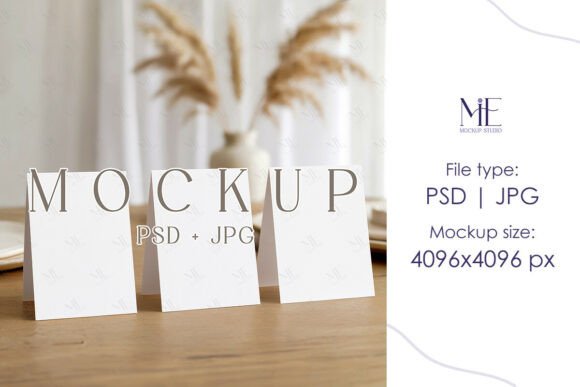
Showcase Your Wedding Boards with a Realistic Easel Mockup
You’ve spent hours perfecting the calligraphy, aligning the guest names, and choosing the perfect paper texture for your wedding seating chart. The final design is stunning, but how do you present it to your client or showcase it in your Etsy shop so it truly resonates? A flat image on a white background often fails to capture the scale, elegance, and real-world presence of a large format print like a 24x18 horizontal board. This is where a thoughtfully designed mockup becomes an indispensable part of your design toolkit, transforming a digital file into a tangible, shareable vision.
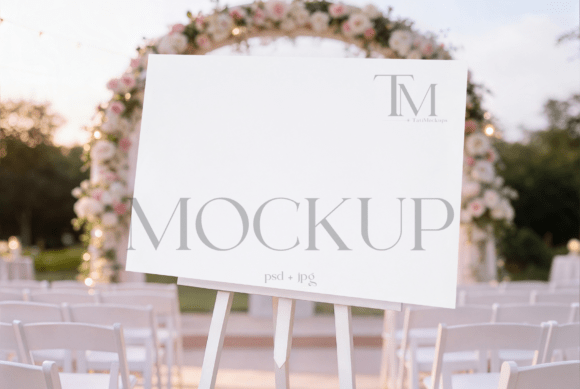
A Landscape Seating Chart Mockup isn't just a digital placeholder; it's a bridge between your creative work and your audience's imagination. For designers and stationers, presenting work in a realistic context builds immediate value and professionalism. Instead of asking a bride to visualize how her seating chart will look on an easel at the reception venue, you can show her. This specific mockup is crafted for the 24x18 horizontal format, a popular size for entrance signage and seating displays, ensuring the proportions and details you’ve worked on are represented accurately. The realistic easel setting provides that crucial, high-end context that elevates a simple design into a complete experience.
More Than Just a Pretty Picture: The Strategic Use of Mockups
While the primary function is presentation, the applications of a versatile mockup extend far beyond a single Etsy listing. Think of it as a core design asset for your brand's visual communication. For a small business owner selling custom signage, this mockup can be used repeatedly across various marketing assets. It’s perfect for creating cohesive social media graphics for Instagram or Pinterest, where a styled image consistently outperforms a plain design file. It can anchor a portfolio page on your website, giving potential clients a clear understanding of the final product's scale and impact.
The utility also crosses into other creative fields. A graphic designer specializing in event branding can use it to present a complete suite of wedding materials. A content creator or blogger in the wedding niche could use the mockup to illustrate a post about wedding décor trends without needing to photograph a physical board. For those selling digital products, a high-quality mockup helps differentiate your listings, providing a more professional and trustworthy preview that can lead to higher conversion rates. It’s about showcasing your work in the best possible light, making it relatable and desirable.
Practicality Meets Polish: Using Your PSD File Efficiently
The real power of a professional mockup lies in its functionality. A well-structured file, like the one described with organized layers and smart object functionality, saves you time and frustration. The smart object feature in Photoshop is a game-changer. Instead of manually warping and adjusting your design to fit the perspective of the easel, you simply double-click the smart object layer, paste your artwork, save, and watch it seamlessly integrate into the scene. This not only ensures a perfect fit but also makes the process incredibly efficient, allowing you to generate multiple presentation images for different clients or projects in minutes.
This efficiency is vital for maintaining visual consistency across your brand. Whether you're updating your portfolio, creating a new listing, or preparing a client presentation, you can rely on the same high-quality, realistic setting. The inclusion of both a high-resolution PSD file and a JPG offers flexibility—the PSD for customization and the JPG for quick use or sharing. For any creative entrepreneur, tools that streamline workflow while enhancing output quality are worth their weight in gold. This mockup is designed to be one of those tools, focusing on practical application over complex technical hurdles.
Building Your Brand's Visual Identity with Consistent Assets
In a crowded market, brand recognition is built through consistent, professional visuals. Your mockups are an extension of your brand identity. Using a realistic, high-quality mockup like this one communicates that you value detail and quality, traits that clients look for when investing in custom work. It helps establish a standard for how your work is presented, which in turn builds trust and perceived value.
Consider the broader context of your design projects. A premium font choice for your client's seating chart pairs beautifully with a premium presentation. The mockup allows the typography, layout, and material choices to shine. This holistic approach to presentation—where the mockup complements the design rather than distracting from it—is what separates amateur listings from professional ones. It’s not about flashy effects; it’s about accurate, appealing representation that supports your brand identity and helps your audience connect with the final product on an emotional level.
Ultimately, the goal is to communicate clearly and effectively. A Landscape Seating Chart Mockup provides the context that makes your design work understandable and compelling. It answers the client's unspoken questions about size, setting, and presence before they even ask. By investing in thoughtful presentation tools, you’re not just selling a design file; you’re selling an experience, a vision, and the assurance that your work will look as beautiful in person as it does on the screen. This thoughtful approach to showcasing your craft is what builds a loyal customer base and a reputation for excellence.